
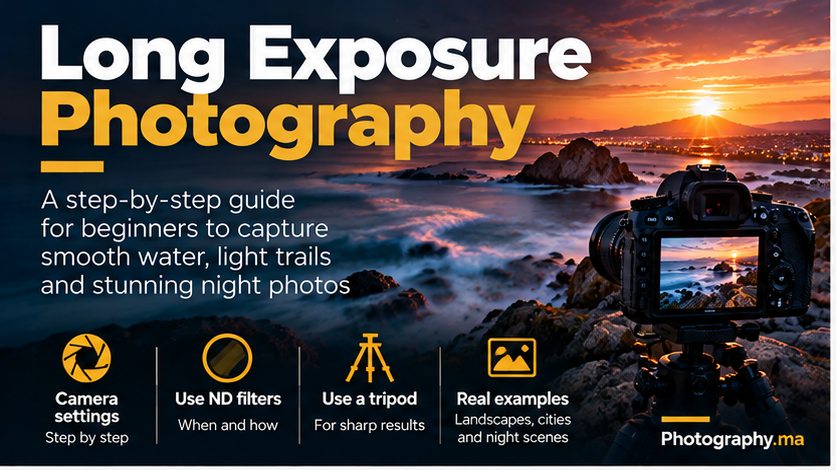
Long exposure photography can turn rushing water into a soft ribbon, traffic into streaks of light and drifting clouds into painterly shapes. This practical guide explains how to choose settings, use a tripod and ND filters, and fix the mistakes that spoil otherwise promising photographs.
Suggested Gutenberg block: Rank Math Table of Contents — insert here, immediately after the introduction.
Table of Contents
What Is Long Exposure Photography?
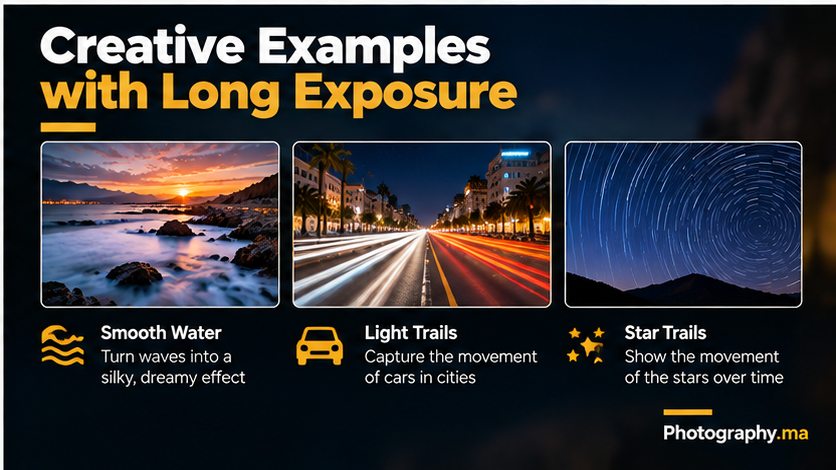
Long exposure photography keeps the shutter open long enough to record movement over time rather than freezing a single instant. Moving water becomes smooth, traffic lights draw luminous lines, and drifting clouds can stretch across the sky. A fixed object—such as a rock, bridge or building—can remain sharp when the camera is steady. The essential creative choice is deciding which elements should move and which should stay still.
A long exposure is not defined by one universal shutter speed. One second may be long for a passing car, while smooth ocean water may call for 10–30 seconds and star trails require much longer captures or multiple exposures. The effect depends on subject speed, light, focal length and the look you want.
Long exposure photography is easiest to learn by starting with a stationary camera and a predictable moving subject. You can practise with a fountain or shoreline before trying nighttime traffic or stars.
Long Exposure Photography: Essential Gear
A camera that allows you to select shutter speed is enough to begin. A DSLR or mirrorless camera in shutter-priority or manual mode makes the process straightforward. Some smartphones also offer long-exposure or night modes, but the processing and controls differ by model.
A sturdy tripod is the single most useful accessory. Extend its thickest leg sections first, tighten the head, and keep the centre column low when wind is present. On a stable surface, a small tabletop tripod can work too. Avoid touching the camera while the shutter is open. Use a two-second self-timer, a remote release or the camera’s app if supported.
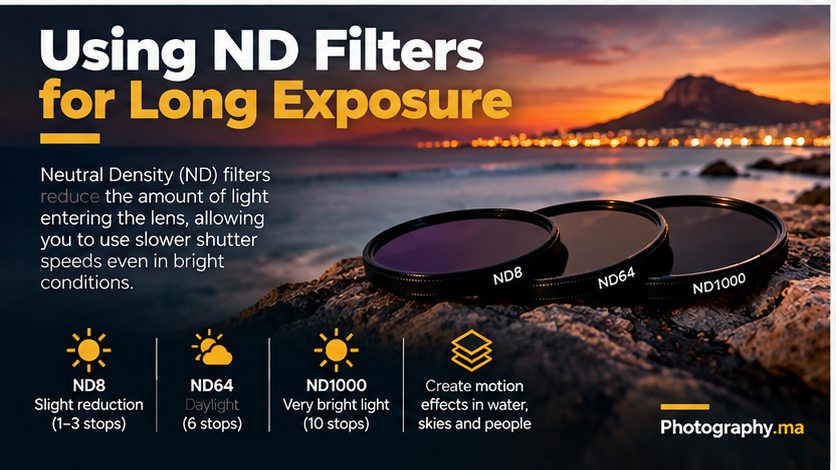
A neutral-density (ND) filter is helpful in daylight because it reduces light reaching the sensor without deliberately changing the scene’s colour. It lets you use a slower shutter speed before the image becomes overexposed. An ND filter is optional at dusk or night. Bring a lens cloth for spray and rain; water drops on the front element are especially distracting in long exposures.Adobe’s guide to long exposure photography
Camera Settings for Long Exposure Photography
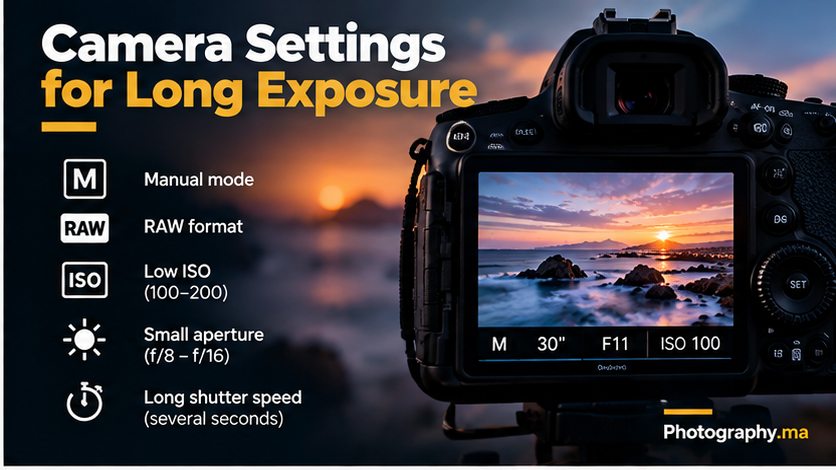
Start in manual exposure mode (M) if you are comfortable controlling all three settings. Set ISO 100 or the camera’s native low ISO, choose approximately f/8, and start with a shutter speed of 2 seconds near dusk. Take a test shot, inspect the histogram, and adjust the shutter speed until highlights are controlled. These are starting points, not universal settings.
If the photo is too bright, shorten the shutter speed, reduce ISO if possible, use a smaller aperture within reason, or add an ND filter. If it is too dark, lengthen the shutter speed or raise ISO when necessary. Very small apertures such as f/22 may soften fine detail through diffraction, so do not automatically choose the smallest opening.
Shoot RAW when possible because it gives more latitude for correcting white balance and highlights later. Use a fixed white balance or RAW adjustment for consistent results across a series. In bright scenes, focus first, then switch to manual focus if autofocus repeatedly hunts behind a dark ND filter. Magnified live view is useful for checking a distant building or rock.
For exposures longer than the camera’s usual maximum timed shutter, use Bulb mode with a compatible remote or intervalometer. Some modern cameras offer longer timed exposures directly. Check your model’s menu rather than assuming Bulb is always required.
A Practical Long Exposure Settings Table
Moving water at twilight: start around ISO 100, f/8 and 1–4 seconds. For a more misty ocean effect, try 10–30 seconds and compare the texture. Fast waterfalls may blur dramatically at half a second; gentle streams may need longer.
Traffic light trails after dark: try ISO 100, f/8 and 5–15 seconds from a safe, fixed viewpoint. Adjust timing so vehicles travel through the frame during the exposure. Do not stand in a roadway or obstruct pedestrians.
Cloud movement: try 15–60 seconds with an appropriate ND filter if it is still bright. Slow clouds may need several minutes to show obvious streaks, which can require Bulb mode and careful exposure planning.
Night cityscape without intentional motion blur: a tripod exposure of 1–10 seconds may preserve clean detail at low ISO, but people and cars will blur. Decide whether that movement is desirable before changing settings.
Step-by-Step: Make Your First Silky-Water Photograph
1. Find a safe position with a stable foreground object and visibly moving water. A riverbank or coastal viewpoint works, but avoid unstable rocks and rising tides.
2. Mount the camera firmly, compose the frame and check the edges for unwanted objects. Include a static rock or bridge to contrast with the flowing water.
3. Set ISO 100, f/8 and a shutter speed near one second as an initial experiment in dim light. If the exposure is too bright, choose a shorter shutter speed or use an ND filter.
4. Focus on the key static subject. For landscapes, inspect magnified live view rather than assuming infinity focus is accurate. Once focus is reliable, lock it if needed.
5. Use the two-second timer or remote. Keep your hands off the tripod and avoid walking near it on a flexible surface.
6. Review sharp stationary edges at full magnification and inspect the highlights. A pleasing preview at screen size can hide camera shake.
7. Repeat at 1/2, 2, 5 and 10 seconds where light permits. Compare how the water changes. Pick the shutter speed based on the visual result, not the largest number.
How ND Filters Change Exposure Time
An ND filter is described by its light reduction, commonly in stops. A three-stop filter lets through one-eighth as much light, requiring a shutter eight times longer for the same exposure if ISO and aperture remain unchanged. A six-stop filter multiplies exposure time by 64, and a ten-stop filter by 1,024.
For example, if a properly exposed unfiltered scene needs 1/30 second, a six-stop filter produces a starting exposure of about 2 seconds (64/30). A ten-stop filter gives roughly 34 seconds. Actual results vary with filter accuracy and changing ambient light. Use these as estimates and check the histogram.
Focus and compose before attaching a very dark filter if your camera struggles to see through it. Watch for light leaks around the viewfinder on some DSLRs, unwanted colour casts, and vignetting with thick filter stacks on wide-angle lenses. A variable ND filter may show uneven dark patterns at high strengths, especially with wide-angle lenses.
A common mistake is buying a very strong ND filter before learning to expose correctly without one. First learn the relationship between shutter speed and movement; then add a filter to make that speed possible in brighter conditions.
Long Exposure at Night: Light Trails and City Scenes
For light trails, position yourself on a safe sidewalk, bridge or viewpoint and include fixed buildings or road markings as reference points. Compose so vehicles enter and leave the frame rather than stopping at the edge. Start at ISO 100, f/8 and 8 seconds, then adjust based on traffic and streetlight brightness.
Light trails are made by moving lights, not by keeping every part of the scene in focus through software. If a traffic signal changes mid-exposure, different vehicles can create layered paths. Headlights and taillights may differ in brightness; review the highlights so the trails do not become featureless white bands.
Night scenes often contain extreme contrast. Expose for important highlights, then brighten shadows moderately in RAW editing. If a single exposure cannot hold both bright signs and dark buildings, consider exposure bracketing for a stationary scene, while remembering that moving traffic may not align cleanly across frames.
Wind and vibrations can still blur buildings during a 10-second exposure. Move away from vibrating railings, avoid extending a lightweight tripod fully, and review a test frame at 100 percent.
Star Trails: A Different Long-Exposure Challenge
Star trails reveal Earth’s rotation as arcs in the sky. Rather than attempting one extremely long exposure, many photographers capture a sequence of shorter exposures and combine them later. This can reduce overheating, sensor noise and the risk of losing the entire result to a single interruption.
Use a stable tripod, manual focus on a bright star with magnified live view, and a wide lens if available. Choose a sufficiently bright aperture and exposure settings based on the night sky and your equipment. Keep the interval between frames short for smoother trails, and consider a foreground exposure separately if necessary.
The familiar 500-rule is only a rough historical starting point for avoiding visible star movement in single night-sky images; high-resolution cameras can show trails sooner. Star trails intentionally use that movement. For your first attempt, focus on a short sequence and learning the stacking workflow rather than chasing a perfect multi-hour result.
Common Long Exposure Mistakes and Fixes
Blurry rocks or buildings: the tripod moved, focus missed, or the ground vibrated. Retake with a timer, more stable support and a careful focus check. Image stabilization settings vary by camera and lens; follow your manufacturer’s guidance for tripod use.
Entire image too bright: your shutter is too slow for the available light. Reduce exposure time or add an ND filter. At sunset, light changes quickly, so re-meter frequently.
Water looks flat rather than expressive: the shutter may be too long for the composition. Try a shorter speed that preserves texture, such as 1/4 or 1/2 second, instead of assuming smoother is always better.
Unexpected dark corners: a stacked filter holder or thick filter ring may be visible with a wide lens. Remove unnecessary rings or recompose slightly.
Colour looks strange: an ND filter may introduce a tint, or mixed artificial lights may confuse automatic white balance. Shoot RAW and adjust colour deliberately.
Bright dots or hot pixels: long exposures can reveal sensor noise. Some cameras provide long-exposure noise reduction, which may double the time between shots because it records a dark frame. Decide whether that delay is acceptable for your subject.
Editing Long Exposure Photos Without Overdoing It
Begin with lens corrections and a level horizon. Adjust white balance, exposure and highlights before increasing contrast. Preserve natural tonal transitions in smooth water; excessive clarity or sharpening can make it look gritty. Apply noise reduction conservatively, especially in dark skies, and inspect detail at full size.
Use local adjustments to guide attention toward the stationary subject, such as a lighthouse or bridge, while letting blurred water remain soft. Crop only when the composition improves. Avoid implying that an illustrative AI-generated example proves a real shutter setting or a controlled comparison.
Export a high-quality JPEG in sRGB for the web and retain your RAW file for future edits. If the photograph will be printed, export dimensions and sharpening should match the intended output.
Three Exercises to Improve Quickly
Exercise one—moving water: photograph the same scene at three shutter speeds, such as 1/4, 1 and 4 seconds, with exposure balanced as needed. Write down which version best communicates motion and why.
Exercise two—night traffic: capture three frames of the same road with different exposure lengths. Look for trail continuity, highlight clipping and sharp buildings. Only photograph from a safe, legal viewpoint.
Exercise three—cloud movement: include a stationary structure and compare a short exposure with a much longer one. If the longer shot requires an ND filter, calculate the shutter speed from the unfiltered meter reading and verify it with a test shot.
Keep a simple notebook with ISO, aperture, shutter speed, filter strength, weather and the result. This builds a useful reference for your own camera rather than a collection of settings copied without context.
Long Exposure Photography FAQ
Do I need an expensive camera? No. A camera or smartphone with suitable manual or computational long-exposure controls can teach the basics. Consistent stability matters more than price.
Can I take long exposures without an ND filter? Yes, especially after sunset or at night. An ND filter becomes valuable when you need slow shutter speeds in bright daylight.
What is the best shutter speed for waterfalls? There is no single best speed. Try 1/4 to 2 seconds first, then adjust for water speed and desired texture.
Should I use autofocus? Autofocus is fine for acquiring focus before exposure, but lock focus if it hunts in darkness or through a strong filter.
Why is my long exposure noisy? High ISO, long sensor operation, heat and heavy shadow brightening can contribute. Use an appropriate ISO, expose carefully and consider your camera’s long-exposure noise-reduction option.
Is a long exposure always better? No. Motion blur is a storytelling choice. Sometimes a faster shutter preserves the drama of crashing waves more effectively.
Conclusion: Make Time Part of Your Composition
Long exposure photography becomes much easier when you stop searching for a magic shutter speed and start observing movement. Choose a stable viewpoint, keep the camera still, protect important highlights and compare several exposures. A modest tripod and deliberate practice will teach you more than a complicated filter kit used without a plan.
For a deeper understanding of how shutter speed controls motion, read our shutter speed guide; for exposure balance, revisit aperture and ISO. Then return to the same scene at a different time of day and see how the changing light alters your creative options.shutter speed guideapertureISOFurther reading on Photography.ma: Shutter speed explained • Aperture in photography • ISO in photography • Photography composition rules •