
Learning manual mode photography for beginners is not about proving that automatic settings are bad. It is about deciding what should stay sharp, how movement should appear, and how bright the final photograph should look. Manual mode gives you direct control of aperture, shutter speed, and ISO, but it works best when you have a clear reason to adjust each one.
This guide teaches a repeatable routine rather than a list of magic settings. You will learn to read the exposure meter and histogram, work with changing light, freeze movement, and avoid the most common mistakes. Start with an ordinary subject in steady daylight; you do not need expensive equipment to understand these controls.
Table of Contents
What Is Manual Mode Photography?
Manual mode, usually marked M on a camera dial, lets you choose the shutter speed and aperture rather than asking the camera to select both. ISO may be set manually or left on Auto ISO, depending on your camera. That distinction matters: M with Auto ISO still allows the camera to adjust exposure through ISO, while fully manual exposure fixes all three variables.
Manual control is useful when the light stays consistent but the composition changes, such as photographing a person against both bright and dark backgrounds. It is also useful for long exposures, flash setups, and repeatable sequences. Aperture Priority and Shutter Priority remain excellent choices when speed matters; using Manual does not make a photograph inherently more professional.
The essential habit is to ask what visual effect you need before touching the dials. Start with motion, depth of field, or image noise. Then balance the remaining settings to achieve a workable exposure.
Understand the Exposure Triangle Without Memorizing It
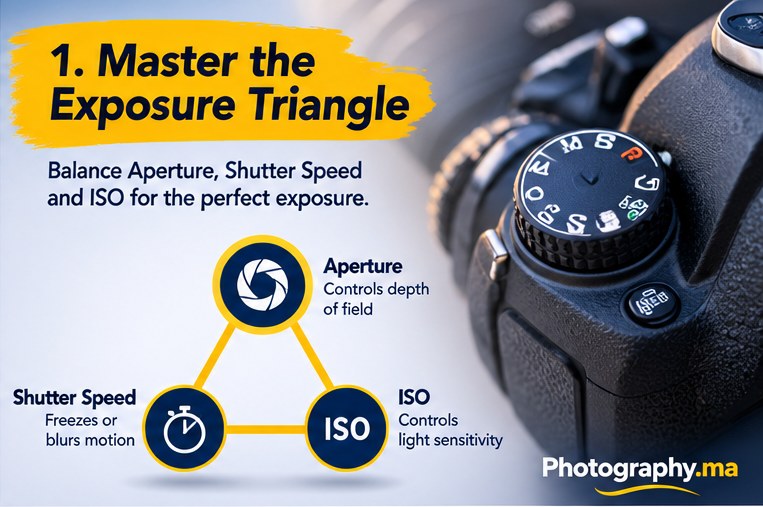
Aperture describes the size of the lens opening relative to its focal length. A small f-number, such as f/2.8, generally allows more light through and can reduce depth of field. A larger f-number, such as f/8, generally allows less light through and increases depth of field when other factors are held constant.
Shutter speed controls how long the sensor receives light. A fast shutter such as 1/1000 second can freeze action; a slower exposure such as 1/15 second can show movement or camera shake. ISO determines how the camera processes the sensor signal for the selected exposure and affects the brightness of the resulting image; raising it often increases visible noise or reduces highlight headroom.
These controls interact. If you close the aperture by one stop, you can compensate by doubling exposure time or adjusting ISO one stop. But matching overall brightness does not preserve the same photograph: movement, background blur, and noise may change.
Set Up Your Camera Before You Start
Turn the mode dial to M. Choose RAW or RAW+JPEG if your workflow supports it, and make sure your memory card has room. Set the drive mode to single shot for initial practice, then use bursts only when the subject needs them. Turn on a histogram or exposure preview if your camera offers it.
Choose a focus mode that matches the subject. Single autofocus works for many stationary scenes, while continuous autofocus can follow a moving person. Manual exposure and manual focus are separate controls; you can use autofocus while shooting in Manual mode.
If your camera has Auto ISO, decide whether to enable it. For the first exercise, fixed ISO makes the relationships easier to see. Later, Manual mode with Auto ISO can be an efficient choice when shutter speed and aperture are priorities.
A Simple Manual Mode Photography for Beginners Routine
First choose shutter speed based on movement. For a still scene with a stable camera, you may use a relatively slow shutter. For a walking subject, begin around 1/250 second and review sharpness. Faster motion, longer lenses, or shaky hands may require faster settings.
Second choose aperture based on depth of field. For an individual portrait, f/2.8 to f/4 may create subject separation if your lens allows it. For a scene where several elements must be sharp, try f/5.6 to f/8. These are starting points, not universal rules.
Third set ISO until the exposure meter is near your intended brightness, then make a test shot. Examine the histogram, bright highlights, and the actual subject. Adjust one control at a time so you can understand what changed. If you use Auto ISO, check the ISO chosen by the camera after every significant change in light.
How to Read the Exposure Meter in Manual Mode
Most cameras display an exposure scale with a central zero and marks toward minus and plus. The meter compares your selected exposure against what its metering system estimates would produce a standard brightness. Zero is not necessarily the correct artistic exposure, especially in snow, at night, or against a bright window.
A dark scene can be intentionally dark, while a bright beach can be intentionally bright. If you blindly force every meter reading to zero, you may make both scenes look middle gray. Use the meter as a starting point, not a command.
Take a test image and look at the histogram. A graph leaning left can be normal for a dark scene; a graph leaning right can be normal for a bright one. The warning sign is important detail clipped at either end. Our histogram guide explains how to evaluate those limits.
Further reading: camera histogram guide.
Manual Mode Camera Settings for Portraits
For a stationary portrait outdoors, begin around 1/250 second, f/2.8 to f/4, and the ISO needed for the actual light. If your lens has a narrower maximum aperture, use that available aperture and adjust the other settings. Keep the near eye in focus and watch whether both eyes fall within the depth of field.
When the subject moves, prioritize shutter speed. A person walking toward the camera may require 1/500 second or faster depending on pace and lens. Continuous autofocus can help, but verify the focus point instead of assuming every frame is sharp.
If the background is too busy, move the subject farther from it or change your shooting position before automatically opening the aperture. Manual mode controls exposure, but lighting, distance, and composition are equally important.
Further reading: portrait photography tips.
Manual Mode Settings for Landscapes and Cityscapes
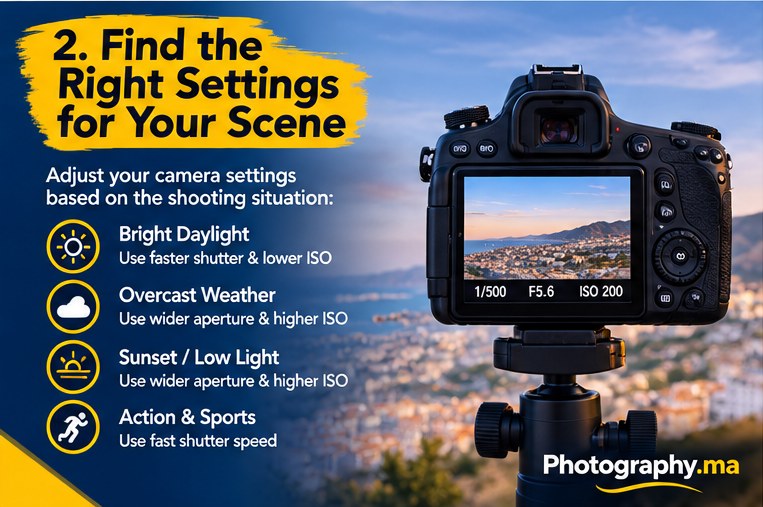
For a daylight landscape on a tripod, a useful starting point is ISO 100, f/8, and whatever shutter speed gives an appropriate exposure. Review foreground and background sharpness. Closing the aperture further may increase depth of field, but extremely small apertures can soften detail through diffraction.
For a city at twilight, the sky darkens rapidly while artificial lights stay bright. Choose an aperture for the depth you need, keep ISO low on a stable tripod, and lengthen shutter speed as necessary. Watch bright signs and windows: they can clip even when the rest of the frame looks dark.
If you shoot a panorama or exposure blend, fixed manual settings help maintain consistent brightness across frames. When light changes during the sequence, finish quickly and check each exposure before moving the tripod.
Further reading: landscape photography tips.
Photographing Action in Manual Mode
Action photography is easier when you decide the shutter speed first. Start around 1/1000 second for fast sports or energetic movement, then adapt to the subject. A cyclist moving across the frame may need different settings from someone approaching directly.
Open the aperture if you need more light, but remember that a wide aperture makes precise focus more demanding. Raise ISO as needed. A noisy sharp image can be more useful than a clean image blurred by motion.
For creative panning, try a slower shutter such as 1/30 or 1/60 second while moving the camera smoothly with the subject. Expect many unsuccessful frames. The aim is a relatively sharp subject with a streaked background, not an exposure that is technically perfect on the first try.
Manual Mode With Auto ISO: When It Makes Sense
Manual mode with Auto ISO is particularly useful when you need to hold shutter speed and aperture constant while moving through variable light. For example, you can select a shutter fast enough for street portraits and an aperture that keeps the face sharp, then allow the camera to adjust ISO as clouds pass.
Some cameras allow exposure compensation in M with Auto ISO, while others handle it differently. Check your model’s controls and watch the actual ISO value. Set a practical maximum ISO if available, but do not choose such a low limit that the camera underexposes critical moments.
If the camera reaches its ISO limit, the exposure may become too dark. If it reaches its minimum ISO in bright light, the photograph may overexpose unless you use a faster shutter or narrower aperture. Auto ISO reduces workload; it does not eliminate the need to monitor exposure.
Further reading: exposure compensation explained.
White Balance, RAW, and the Histogram
White balance changes how warm or cool the photograph looks; it is not part of the exposure triangle. Auto white balance is convenient, but a fixed setting may help a sequence remain consistent under stable lighting. Mixed daylight and artificial light can require a compromise.
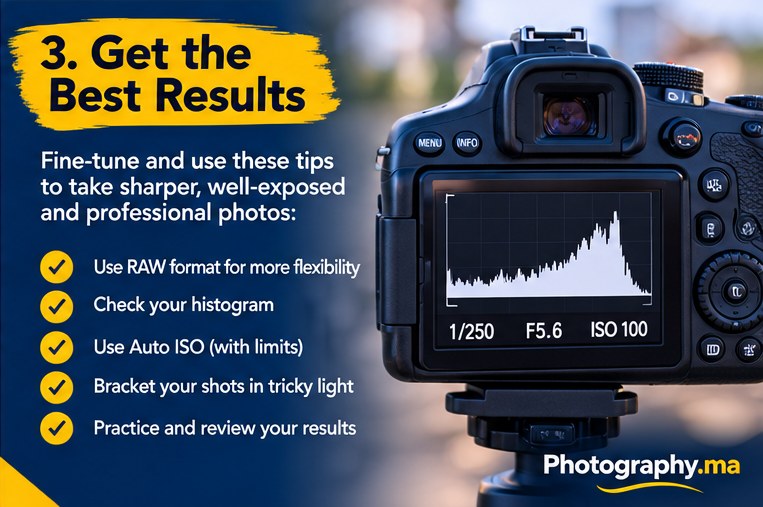
RAW gives more flexibility for white-balance adjustments and some tonal corrections, but it cannot rescue highlights with no recorded detail. The histogram is a more reliable exposure aid than judging brightness solely from the rear screen, which changes with ambient light and screen settings.
When editing, resist the urge to brighten every shadow or add excessive contrast. The goal is to preserve the scene’s intent. A photograph taken at dusk should still feel like dusk.
Further reading: RAW vs JPEG.
Five Common Manual Mode Mistakes
The first mistake is changing all three settings after every shot. Change the variable that addresses the visible problem, then compensate deliberately. The second is keeping ISO at its lowest value even when the resulting shutter speed causes blur. Raise ISO when sharpness matters more.
The third is believing the meter must always read zero. Metering can be fooled by snow, dark clothing, backlighting, and stage lighting. The fourth is using a wide aperture for every subject. Groups and layered landscapes may need greater depth of field.
The fifth is forgetting to reset settings after a session. A shutter speed used for night photography may ruin the next daylight action shot. Before you start, check shutter speed, aperture, ISO, focus mode, and drive mode.
A 20-Minute Manual Mode Practice Exercise
Find a safe place with steady daylight and a stationary subject. Set ISO 100 or 200, f/5.6, and a shutter speed that brings the meter close to zero. Take a photograph and inspect the histogram. Now use a shutter one stop faster and take another frame; notice how brightness changes.
Return to the first exposure, open the aperture by one stop, and shorten the shutter by one stop to compensate. Compare the images. Overall brightness should be similar, but background sharpness may differ. Repeat with a moving subject using a faster shutter and higher ISO.
Finally, photograph a bright background and a dark background without changing the subject’s illumination. Observe how the meter responds. Keep the subject properly exposed rather than chasing the meter. Write down the settings that worked and why.
Further reading: Nikon photography learning resources.
Manual Mode Photography FAQ
Is manual mode better than Aperture Priority? Not always. Aperture Priority is often faster when the light changes and depth of field is your main concern. Manual mode is useful when you need predictable exposure or full control over motion and depth of field.
Can beginners use Manual with Auto ISO? Yes. It is a practical bridge between full manual exposure and automatic modes. Does Manual mode require manual focus? No. Exposure mode and autofocus mode are independent.
What should I adjust first? Start with the visual problem: motion blur calls for shutter speed; insufficient depth of field calls for aperture; insufficient exposure after those choices may call for ISO or better light. There is no single setting that fits every scene.
Final Thoughts
Manual mode photography for beginners becomes manageable when every dial has a purpose. Decide whether movement or depth of field matters most, set that control first, then balance exposure and check the result. Learn to read the histogram rather than obeying the meter without question.
Practice in consistent light before trying fast-changing conditions. After a few short sessions, Manual mode will feel less like a puzzle and more like a set of creative choices you can make deliberately.